Construction Scheduling Software: Which Type Do You Actually Need?
Last updated
Ask ten contractors what construction scheduling software does and you will get two completely different answers. One group describes a critical path model with activity durations and dependencies stretching eighteen months out. The other describes a weekly grid showing which crews are on which sites. Both groups are right, and both are shopping in a market that uses one phrase for two different products. That mismatch is why so many contractors buy scheduling software, roll it out, and discover six weeks later that it solves a problem they did not have.
What is construction scheduling software?
Construction scheduling software is any tool that plans and communicates when construction work happens and who does it. That definition is broad on purpose, because the category itself is broad. It covers everything from enterprise critical path modelling used on billion-dollar infrastructure programs down to a mobile app that tells a framing crew which address to drive to tomorrow morning.
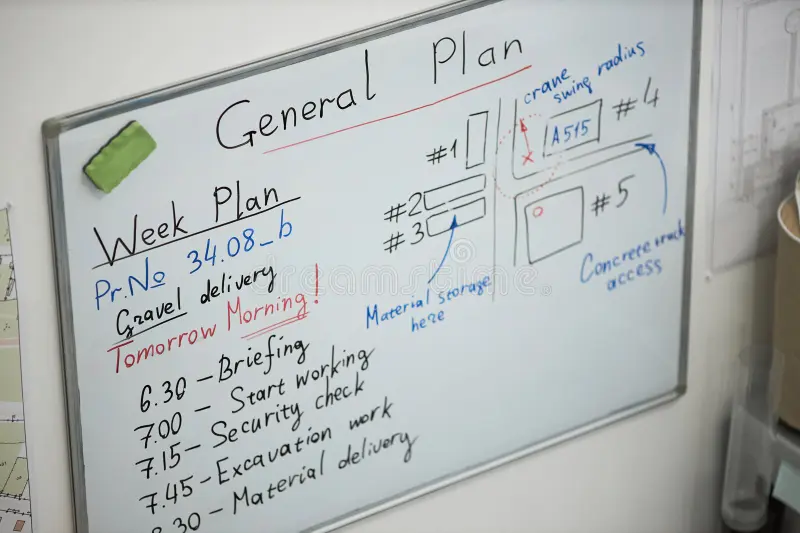
What unites these tools is that they all replace something manual. Before software, the project schedule lived on a wall in the trailer and the crew schedule lived in a spreadsheet that one person maintained and nobody else could read. Both still do, at a surprising number of companies. When contractors describe their current scheduling process to a vendor, the incumbent is usually Excel, a whiteboard, or a group text.
What divides these tools is more important than what unites them, and it rarely gets explained on the pages selling them.
What are the two types of construction scheduling software?
The split runs between project scheduling and crew scheduling. They use overlapping vocabulary and solve almost entirely separate problems.
Project scheduling, also called CPM scheduling
This is the schedule in the contractual sense. It models the work as a network of activities with durations, logic ties, and dependencies, then calculates which chain of activities determines the completion date. That chain is the critical path. Slip anything on it and the whole job moves.
The established tools here are Oracle Primavera P6 and Microsoft Project, with a newer group including Planera, Outbuild, and Touchplan, the last of which is built around the Last Planner System and pull planning. SmartPM sits adjacent to all of them, analyzing schedule quality rather than building schedules.
Project scheduling is where owners, general contractors, and claims consultants live. If your contract requires a monthly schedule update, if you need to substantiate a delay claim, or if you are sequencing thirty subcontractors across a phased handover, this is the category you are shopping in.
It is also a category with a documented quality problem. SmartPM’s 2025 State of Construction Scheduling Report, which analyzed more than 70,000 schedules alongside over 3,500 survey responses, found that 88% of baseline schedules fail to meet basic quality benchmarks while 75% of respondents said the schedule is often or always used in high-level decisions. More than 70% of projects underperform against their original plan. Buying a CPM tool does not by itself produce a reliable schedule, and the people who use these tools well tend to be trained schedulers rather than field supervisors picking it up on the side.
Crew scheduling, also called resource or workforce scheduling
This is the schedule in the operational sense. It answers who is working, where, on which day, and with what equipment. The planning horizon is short, usually the coming week, sometimes just tomorrow.
Tools in this camp include Assignar, BuildOps, CrewTracks, and Corfix. CrewTracks describes its focus as short-range work, with a foreman assigning workers to jobs before the shift starts. That framing captures the whole category well. The office plans in months, the field runs on tomorrow morning, and crew scheduling software exists to close the distance between the two.
Crew scheduling is where subcontractors and self-perform contractors live. If your hardest weekly problem is that you have eleven active jobs and forty-two workers and no clear picture of where you are short, this is your category.
Why the confusion persists
Search “construction scheduling software” and the results page mixes both types freely, along with review sites that have their own definitions. G2’s Construction Scheduling category, for example, requires that a product offer Gantt chart visualization and support task sequencing and scenario planning. Under that definition, most crew scheduling tools are excluded from the category entirely, even though crew scheduling is what a large share of contractors are actually searching for.
The practical effect is that buyers evaluate products against the wrong criteria. A subcontractor who needs to know where their crews are gets shown a critical path tool, concludes that scheduling software is overkill, and goes back to the spreadsheet.
How do you know which type you need?
The fastest way to sort it out is to name the question that keeps you up at night.
You need project scheduling software if your contract requires schedule submittals and updates, you are the party responsible for overall project completion, you need to model what happens to the finish date when a permit slips four weeks, or you are building a record that might be scrutinized in a delay claim.
You need crew scheduling software if you are a subcontractor or self-perform trade running multiple active jobs, your weekly planning problem is people and equipment rather than sequence, your foremen currently find out about changes by phone call, or you cannot answer “which of our jobs is short-handed right now” without opening several files.
You may need both, and plenty of contractors run both. A mechanical sub can be handed a P6 schedule by the general contractor and still need their own crew scheduling tool to staff against it. The two are not substitutes, and the general contractor’s master schedule tells you nothing about whether your own workforce is covered.
One more filter that matters more than most buyers expect: who is going to operate this thing every week? Critical path tools reward trained schedulers. Crew scheduling tools have to be usable by whoever owns the Friday afternoon planning session, which is often a project coordinator, an office admin, or a superintendent between site visits. A tool that only one person can drive becomes a single point of failure the moment that person takes vacation.
What features matter most in crew scheduling software?
Assuming crew scheduling is your category, here is what separates tools that get used from tools that get abandoned.
Coverage visible at a glance
You should be able to open one screen and see, without clicking into anything, which projects are fully staffed and which are not. Colour-coded status per project is the common implementation. Corfix Scheduling calls this the Schedule Readiness Indicator, with green for fully crewed, orange for partially crewed, and red for nothing allocated yet. Whatever the label, the test is the same: can a scheduler read the state of the entire portfolio in about five seconds?
Booking that takes one motion
If assigning a worker to a job requires opening a record, selecting from a dropdown, choosing dates, and saving, your scheduler will do it in bulk once a week and never touch it again. Drag-and-drop booking from a searchable roster is the pattern that survives contact with a real week. In Corfix this is the Worker and Asset Bench, a panel sitting alongside the schedule holding both workers and assets, so equipment gets placed the same way people do.
The schedule reaching the crew
A schedule the field cannot see is a document, not a plan. The tool needs to push assignments to the same phone the worker already uses for something else. If crews have to remember to check a separate app, they will not, and you will be back to group texts within a month.
Visibility into who is already booked
Every worker tile should show how many days that person is committed to this week before you commit them to another. In a labour market this tight, that number reads two ways. It keeps you from burning out your best people, and it keeps you from accidentally under-scheduling someone who needs the hours to stay.
The labour context is not abstract. Associated Builders and Contractors projects that the U.S. construction industry needs to attract roughly 349,000 net new workers in 2026 and 456,000 in 2027 just to keep labour supply and demand in balance, according to ABC Chief Economist Anirban Basu. When qualified people are the constraint, allocating them well stops being an administrative task and becomes an operational one.
A warning before you double-book someone
Assigning the same person to two sites on the same day is the most common scheduling error there is, and on a paper or spreadsheet system nothing stops you. The tool should catch it at the moment of the booking and make you confirm or cancel, and any day still holding an unresolved conflict should stay visibly flagged until someone deals with it. Ask to see this in a demo rather than taking it on faith, because a conflict warning that appears in a report the next morning is not the same product as one that appears under your cursor.
Search that works at your scale
Filtering a roster of twenty is easy. Filtering four hundred workers across ninety active projects is a different exercise. Ask any vendor to demo search and filtering at your actual headcount and project count rather than the tidy sample data in their standard demo.
Those six things get software into daily use. What actually goes on top of them, certification checks, experience mix, shift load, proximity, is a longer list than most vendors put on a features page. We broke down the full list of judgment calls behind a working crew schedule if you want the complete picture before you shop.
Why should your schedule know who is certified?
This is the part of crew scheduling that most tools ignore, and it’s also where the biggest avoidable losses hide.
Consider the sequence. Someone builds the week’s schedule in a scheduling tool. Certifications live somewhere else, in a spreadsheet, a filing cabinet, or a separate safety platform. A worker gets assigned to a site requiring working-at-heights certification. Their ticket expired in March. Nobody catches it because the two systems have no idea the other exists. The worker arrives, and now you are choosing between sending them home, losing the day, or letting them work and carrying the exposure.
The failure is architectural. When your schedule and your compliance records sit in separate systems, someone has to reconcile them by hand, every week, forever. That reconciliation is exactly the task that gets skipped when the week gets busy.
The alternative is scheduling and compliance running off one worker record, so a certification problem surfaces at the moment of the booking decision rather than at the gate. Corfix is built this way because safety documentation and certification tracking came first and scheduling was added onto that foundation. On the Corfix Scheduling page this is called Mandatory Certs on a Project. Admins set certification requirements per project, and scheduling a worker whose required cert is missing or expired surfaces a warning at that moment, with expired treated the same as missing.
The same logic applies to hours. If your scheduling tool and your time tracking are separate systems, you plan labour in one place and cost it in another, and the gap between planned and actual only becomes visible after payroll runs. Contractors who close that loop can see labour drift while the week is still happening.
Whether or not you end up with Corfix, ask every vendor on your list a direct version of this question: when I schedule someone who is not certified for that site, what happens? The answers will sort the field quickly.
What does construction scheduling software cost?
Pricing in this category is inconsistent and frequently unpublished, so treat any figure you find as a starting point rather than a quote.
Critical path tools are generally licensed per seat, and because they are operated by a small number of trained schedulers, seat counts stay low even at large companies. Enterprise CPM platforms carry meaningful annual costs and, more significantly, meaningful implementation and training time before anyone produces a usable schedule.
Crew scheduling tools are usually priced per user per month, and here the seat count is the variable that bites. A tool that looks affordable at thirty workers can look different at three hundred. Some vendors price only administrative seats, some price every worker who opens the app, and the difference between those two models is enormous at scale. Get that answered specifically before you compare any two quotes.
Several construction platforms, Corfix included, publish no list price and quote based on team size and module selection. Corfix does list its pricing approach publicly, and Scheduling is sold as a module within the platform rather than as a standalone product.
The cost nobody quotes is adoption. Software your field crews will not open has a return of zero regardless of the invoice. Budget for the rollout, not just the licence.
What to ask a vendor before you buy
- Which category are you actually in? Ask directly whether the product builds critical path schedules or allocates crews. Vendors who answer “both” should be asked to demo both.
- Show me search at my scale. Bring your real project count and headcount to the demo.
- What happens when I schedule someone who is not certified? Covered above, and the single most revealing question on this list. We asked eight platforms exactly this, including our own, and compared the answers directly.
- How does the field see a change made at 4:45 on a Friday? The answer tells you whether the schedule reaches the crew or stops at the office.
- What does this cost at double my current headcount? Growth pricing surprises are the most common source of buyer regret in this category.
- Can I talk to a customer my size in my trade? Then ask that customer specifically how the first ninety days went.
- What does it integrate with? Scheduling data trapped in a silo cannot inform payroll, job costing, or your ERP.
Frequently asked questions
What is construction scheduling software?
Construction scheduling software plans and communicates when construction work happens and who performs it. The term covers two distinct product types: critical path project scheduling tools that model activity sequences and durations to determine a completion date, and crew scheduling tools that allocate workers and equipment to specific jobsites on specific days. The two solve different problems and are frequently confused during the buying process.
What is the difference between project scheduling and crew scheduling software?
Project scheduling software models the work itself, mapping activities, durations, and dependencies to calculate the critical path and the completion date. Crew scheduling software allocates people and equipment, answering who goes to which site on which day. Project scheduling typically looks months ahead and is operated by trained schedulers. Crew scheduling typically covers the coming week and is operated by supervisors and coordinators.
Do I need Primavera P6 or Microsoft Project?
You need a critical path tool like Primavera P6 or Microsoft Project if your contract requires schedule submittals and updates, if you carry responsibility for overall project completion, or if you may need to substantiate a delay claim. Subcontractors and self-perform trades whose main planning challenge is staffing multiple active jobs generally need crew scheduling software instead, and sometimes need both.
Can construction scheduling software track worker certifications?
Some can, though most standalone scheduling tools cannot, because certifications live in a separate system. Platforms that combine scheduling with safety and compliance records can check certification status at the moment a worker is assigned. Ask any vendor what happens when you schedule a worker whose required certification is missing or expired, since the answer separates connected platforms from isolated scheduling tools.
How much does construction scheduling software cost?
Crew scheduling tools are typically priced per user per month, and the critical variable is whether the vendor charges for administrative seats only or for every worker who uses the app. Critical path tools are licensed per seat with lower seat counts but higher implementation and training investment. Many construction platforms do not publish list pricing and quote based on team size and module selection.
What is the best construction scheduling software for subcontractors?
There is no single answer, because the right tool depends on whether the subcontractor’s binding constraint is sequence or staffing. Subcontractors managing crews and equipment across multiple active jobs are generally served better by crew scheduling platforms than by critical path tools. The strongest fit tends to be a platform already holding the workforce records, since scheduling decisions can then account for certification and compliance status.
The bottom line
Before comparing products, decide which category you are shopping in. Most of the frustration contractors report with scheduling software traces back to a category mismatch rather than a bad product.
A few things to carry into your evaluation:
- Project scheduling and crew scheduling are separate products sold under one phrase. Name your problem before you name a vendor.
- Adoption decides the return. A tool the field will not open produces nothing, whatever it cost.
- Scheduling that cannot see certification status will eventually put an uncertified worker on a site that requires one.
- Ask about pricing at double your current headcount, not at today’s.
If your problem is crew coverage across multiple active jobs, and you want the schedule running on the same records holding certifications and hours, take a look at Corfix Scheduling. If you are still mapping out where technology fits across your operation more broadly, our breakdown of construction trends for 2026 covers the wider picture, and our neutral comparison of construction safety software for contractors uses the same evaluation framework applied to the safety category.