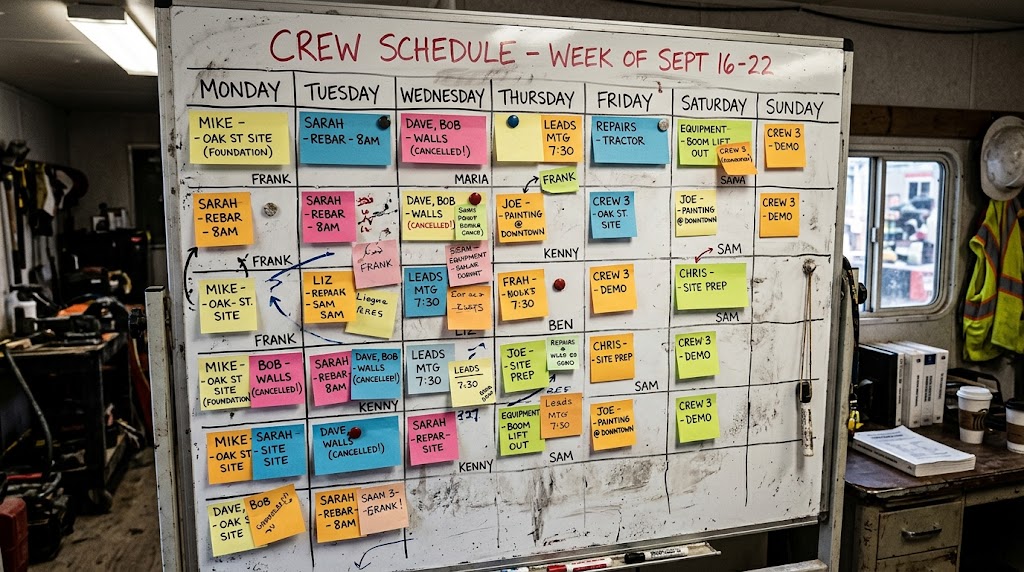
What Actually Goes Into Building a Crew Schedule That Holds Up
Last updated
A schedule isn’t just a calendar with names on it. It’s a series of judgment calls, and most of them never get written down anywhere. Get the certifications right but miss the experience mix, and the crew is technically compliant and still slower than it should be. Cover every shift but ignore who’s already stretched thin, and the schedule looks complete right up until someone burns out or walks. Building one that actually holds up means weighing several things at once, for every active job, not just filling seats.
Building a construction crew schedule that actually holds up means weighing certification status, experience mix, worker availability, shift load, equipment availability, proximity, and crew fit, all at once, for every active job. Miss one and the schedule looks fine on paper until someone shows up to a site without the ticket, the tools, or the teammate they needed.
Certification Status
This is the one that should never fail, and it’s the one that fails anyway when it’s tracked on paper or in someone’s memory. A worker without the certification a job requires isn’t a scheduling inconvenience. It’s a compliance problem and a safety problem, and it’s the first thing that should get checked before anything else.
In Corfix, this is handled through Mandatory Certs. You set the required certifications on a project, and if someone whose certs are missing or expired gets scheduled there, the warning shows up at the moment of booking, not after they’ve already shown up on site.
Experience Mix
Every schedule needs a mix, not just a headcount. A crew of five green hands with no one who’s done the work before is a slower, riskier crew regardless of how many bodies you’ve got covering the shift. The flip side matters too. Stacking your most experienced people on every job burns them out and leaves nobody developing behind them.
This one still lives in a scheduler’s head more than in any tool. Getting the balance right takes knowing your people, not just their availability.
Worker Availability
Before anything else about a worker gets weighed, there’s a simpler question underneath all of it: are they actually free that day. Someone might be the right certification, the right experience level, and the right distance from site, and still be unavailable because they’re already committed somewhere else, on leave, or off the rotation for reasons that have nothing to do with skill. Checking this by hand across a large roster means opening schedules one at a time, which is exactly the kind of task that eats a scheduler’s morning.
Corfix handles this through the Days Available Filter, which narrows the Bench down to whoever’s open on specific days without opening individual schedules, and through Details on Hover, which surfaces a worker’s week the moment you hover their name, before you’ve committed them to anything.
Catching Double-Bookings
Even with availability checked up front, double-bookings still happen. Someone gets pulled onto an emergency job and forgets to update the schedule they were already on. Two people are working from the same roster at the same time and neither sees what the other just did. The question isn’t whether this happens, since on any system it eventually will. The question is whether it gets caught at the moment it happens or discovered days later when two crews show up to different sites and one worker is missing from both.
Corfix flags this the moment it happens. Dragging a worker onto a day they’re already booked triggers a warning with a clear confirm-or-cancel choice, right there in the same motion, and any day still holding an unresolved conflict stays visibly marked until someone deals with it. Nothing about that requires a second pass through the schedule to catch what slipped through.
Shift Load
A schedule that looks fully covered can still be a bad schedule if the coverage is uneven. Someone picking up every available shift is heading toward burnout, and in a labor market this tight, burning out your best people is expensive in ways that don’t show up until they walk. Someone picking up too few shifts is a different problem, since your best people need the hours that keep them around.
Corfix surfaces this on every worker tile in the Bench: how many days someone’s already booked for the week, visible before you commit them to another one. It doesn’t make the call for you, but it puts the number in front of you before you make it.
Equipment Availability
Crews aren’t the only thing that gets scheduled. Equipment does too, and a schedule that accounts for every worker but not the excavator they need is still an incomplete schedule. Double-booking a piece of equipment causes the same kind of disruption as double-booking a person, and it’s just as avoidable.
The Worker and Asset Bench in Corfix toggles between workers and assets so you’re booking both from the same view, with search and filters that work the same way for a piece of equipment as they do for a person.
Proximity to Site
Where someone lives relative to where they’re being sent matters more than it gets credit for. A worker who’s qualified and available but facing an hour-long drive is a worse fit than one who’s ten minutes away, even before you factor in what a long commute does to someone’s day. This is one of the harder things to weigh by hand across a large roster, since it means holding a mental map of where every worker lives against every job site you’re staffing.
Crew Synergy
Some people work well together. Some don’t, for reasons that have nothing to do with skill and everything to do with how a crew actually functions day to day. An experienced scheduler learns which combinations produce a good day and which produce friction, and factors that in even when nobody’s written it down anywhere. It’s real, it affects productivity, and right now it lives entirely in institutional knowledge.
Coverage Across Every Job
All of the above has to happen not just for one project, but for every active job at once. An operation running a handful of sites can hold that picture in their head. An operation running dozens or hundreds can’t, and that’s usually where things start slipping through.
The Schedule Readiness Indicator in Corfix gives every project a color-coded status, green for fully crewed, orange for partial, red for uncovered, so the state of the whole portfolio is visible without opening each project one at a time.
What’s Coming
Experience mix, proximity, and crew synergy are the three considerations on this list that still depend entirely on a scheduler’s judgment and memory. That’s not a gap unique to any one tool. It’s the nature of those particular calls. Corfix Assist, a compliance-aware AI crew matching feature coming later this year, is being built to take a first pass at exactly this: proposing an allocation based on crew synergy, availability, and proximity to site, while automatically excluding anyone whose required certifications are missing or expired. Every recommendation will show its reasoning, so a scheduler can see why a name came up and accept it, edit it, or throw it out. Balancing a crew’s experience mix is part of what that direction is meant to support as it develops.
None of this replaces judgment. It’s meant to give a scheduler a faster starting point built from the same crew history already sitting inside Corfix, rather than requiring it get rebuilt from memory every single week.
Every consideration on this list applies whatever tool you’re using, or even with no tool at all. If you’re weighing Corfix against other options, we compared how eight crew scheduling platforms handle certification checks at the moment of assignment, Corfix included.
FAQ
Can scheduling software catch a double-booked worker?
Some can flag it the moment it happens rather than after the fact. In Corfix, dragging a worker onto a day they’re already booked triggers an immediate confirm-or-cancel warning, and any unresolved conflict stays visibly marked until it’s resolved.
What factors go into building a construction crew schedule?
A complete crew schedule accounts for certification status, experience mix, worker availability, shift load balance, equipment availability, proximity to site, crew synergy, and coverage across every active project at once. Missing any one of these can produce a schedule that looks complete on paper but fails in the field.
Why does experience mix matter in crew scheduling?
A crew made up entirely of less experienced workers moves slower and carries more risk, while stacking only your most experienced people on every job burns them out and stops less experienced workers from developing. A good schedule balances the two on every crew.
How do you avoid overworking your best construction workers?
Tracking how many days each worker is already booked before adding another shift is the most direct way to catch overload before it happens. Visibility into current shift load, not just availability, is what prevents a small number of workers from absorbing most of the hours.
Does crew scheduling account for equipment as well as workers?
Yes, in any complete scheduling process. Equipment gets double-booked the same way people do, and a schedule that tracks worker availability without tracking equipment availability is only solving half the problem.
Can software account for crew synergy or which workers work well together?
This currently depends mostly on a scheduler’s own judgment and memory of past crews. Some newer AI-assisted scheduling tools are being built specifically to help surface this kind of pattern, but it remains one of the harder considerations to automate today.